






Neal Osborn

Forum Replies Created
-
AuthorPosts
-
Neal Osborn
MemberBTW, great fly pictures Lee.
MemberMark,
I have been on a similar kick with Bass Bugs over the last year.
MemberThiago,
That is a wonderful and interesting post.
MemberCorey, I love the gecko shot.
MemberROTGLMFAO.
That is the most unique series of fly fishing photos I’ve seen in a long time.
MemberI’ve never seen the backside of a moth.
MemberGrant, the eyes are called “Mono Eyes”, they come in black and green.
MemberMike,
Nice report.
MemberThe underwater housing is, umm, really kick ass.
This is going to be a great series.
MemberThanks for the interest everyone. I am intrigued that people are fishing the saltwater patterns for bass and warm water as noted above. I did some research and found that a lot of the modern bass bugs are in fact variations on the salt water patterns. Interesting topic!
I lit up a few of the Toads in the studio. The billowy hairs and fibers make for cool hair light effects.


 Member
Scott,
Your trip report makes me want to get in the car and drive to that location ASAP!
MemberI’m seriously torn between the Scott G2 with a nice Abel reel and getting a Nikon D60 setup.
Now that’s a decision I’m familiar with, LOL.
MemberOne last teaching point. If you move the background further away from your fly (4 to 6 feet actually) and use a white sheet of paper to reflect “bounce” light back on the front of the fly you will open up the shadows and brighten up the fly without getting light contamination on the background. This is a deadly trick for doing macro fly photography.
It would look something like this.

Original
 Member
WOW Abe! That is a huge improvement. Less than 12 hours and you have mastered in-camera white balance. You just need to know where to look – it’s all in the User Manual, but putting it together is another story. These shots are much better and you didn’t need fancy flash and expensive gear. As you know, I am big fan of the point-and-shoot cameras and your examples are proof positive that they can take fantastic macro pictures of flies. I’m laughing out loud when I see a size 22 midge in frame with correct white balance out of a Pentax W60.
Have you read my tutorial on getting started with point-and-shoot? Check it out here http://flyartstudio.com/wordpress/?p=187. Lot’s of additional tricks on how to get light on the front of the fly to open up the shadows and mid-tones.
Are you using a Gorilla Tripod yet? If not, go buy one. Also, are you using the timer delay shutter release? Your pictures still have a slight amount of camera shake and that can be negated by using the tripod and delay release.
Strong work. I can tell you are having fun.
***Check out Abe’s previous post*** http://www.itinerantangler.com/cgi-bin/board/YaBB.pl?num=1242779982.
MemberAbe,
I will respond to your message here so others can read and learn.
White balance is important for any photograph but especially critical for fly tying photography. The viewer depends on the color of the material to understand the pattern. There are two options for balancing color in .jpeg – either “in camera” or during the shot or “post” using computer software. Photographs captured in RAW format are much easier to correct in post because the digital negative “raw” information is available to manipulate. However, most camera like the Pentax Optio and Olympus Stylus and other point-and-shoots do not have RAW available. Instead they use .jpeg which is a smaller compressed file, which unfortunately can’t be manipulated as efficiently. Thus, getting the white balance correct from the beginning will save you time and frustration when shooting .jpeg.
***Getting correct white balance in-camera***
For the Pentax Optio W60 (for example), download the .pdf user’s manual here http://www.pentaximaging.com/files/manual/OptioW60_e_web2.pdf
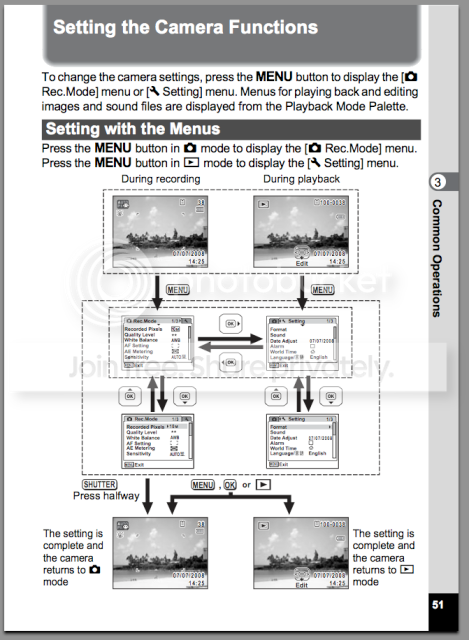
Page 51 – How to work the menus to set white balance
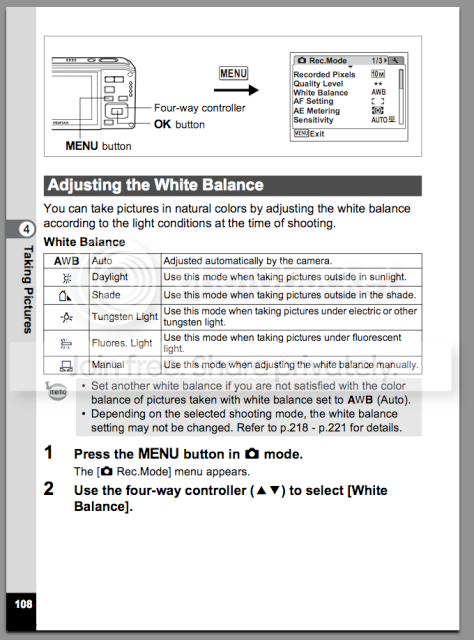
Page 108 – This begins the discussion on how to set your white balance. Learn it!
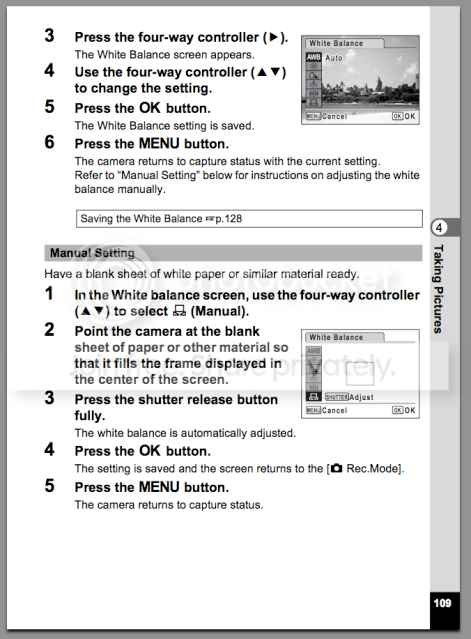
Page 109 (THE MONEY PAGE) – The Pentax Optio is awesome! It allows you to set a custom white balance! Again, “A custom white balance”! I wish my Olympus Stylus had this feature, it’s a big deal. Basically, you will set up your background at the beginning of each series of shots and record and set the white balance from the background (use a white or neutral grey background and avoid colors).
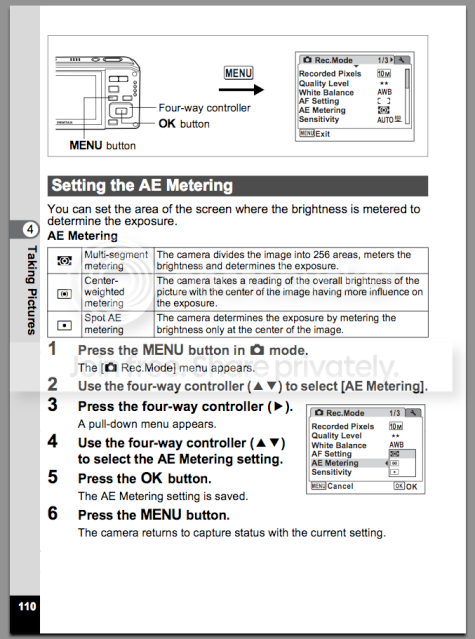
Page 110 – This tells you how to “meter” your fly subject. All cameras have three basic metering functions which include “multi – or – matrix”, center weighted, and spot metering. For fly pictures I generally choose spot metering because it will focus/meter on the fly itself instead of that big white background behind your tiny little fly.
***How to correct white balance on the computer without expensive software***
Here I used iPhoto but all entry level software programs offer similar sliders/adjustments (iPhoto is very good actually).
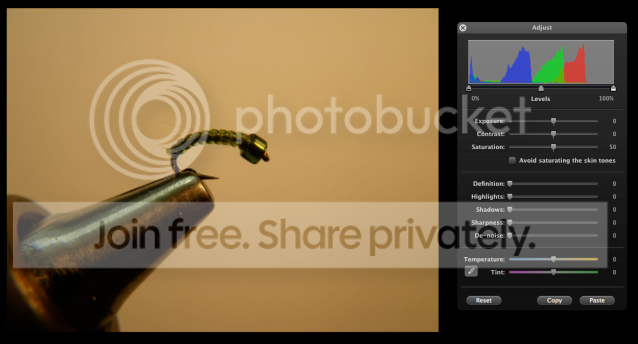
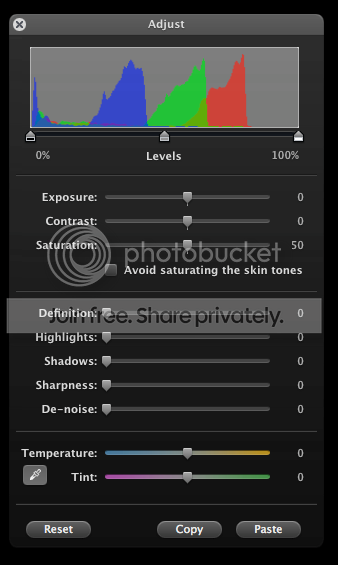
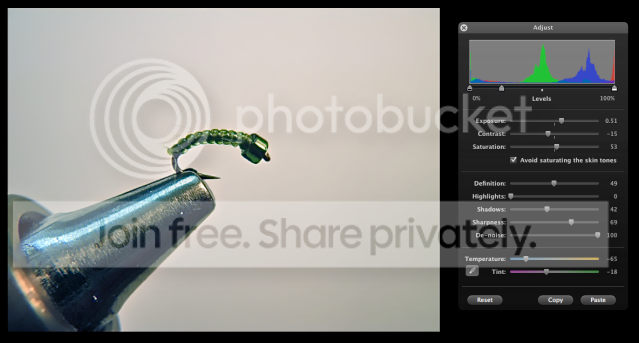
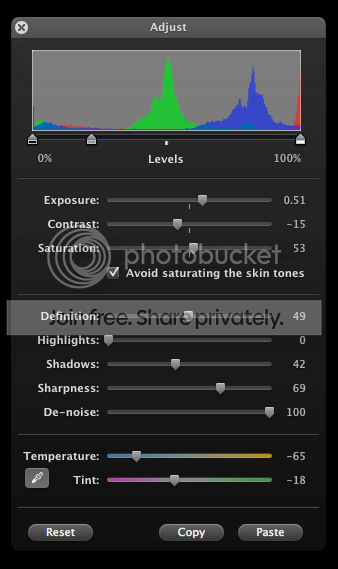
This is a screen capture of the original photograph. Notice the yellow/orange color cast on the background. This comes from the use of incandescent lighting, whether or not fluorescent lighting is used in conjunction with the main light source. To remove a color cast you have to add more of the “opposite” color. So here we will put the picture in edit mode and go the temperature sliders (if you had a RAW file and Photoshop or Aperture/Lightroom you would have more editing capability and adjustments). Adjust the sliders first with temperature to the blue/purple spectrum to cool the image. Then adjust the tint to either green or purple until the whites look white. It won’t be perfect, but it will certainly be better than the original. Once the white balance is set you can hit the image with the additional sliders above until the fly pops and looks better. Notice the settings I made below.
Hint – Once you’ve done all this work make sure to click the Copy button at the bottom so that you can apply these settings to additional images from the series by opening them into edit mode and clicking Paste. This is a huge time saver. 🙂
Original Image
Original Adjustment Sliders set to zero
Modified Image with corrected white balance (not perfect, but much better). Remember, the better the white balance correction in-camera, the less work and better results in post.
Modified Adjustment Sliders (make sure to click Copy to save the settings).
Once you have copied a white balance adjustment, it can be applied to additional images with a simple paste function. Here are two examples. Notice that I made a few additional adjustments to each photograph to tweak the color.
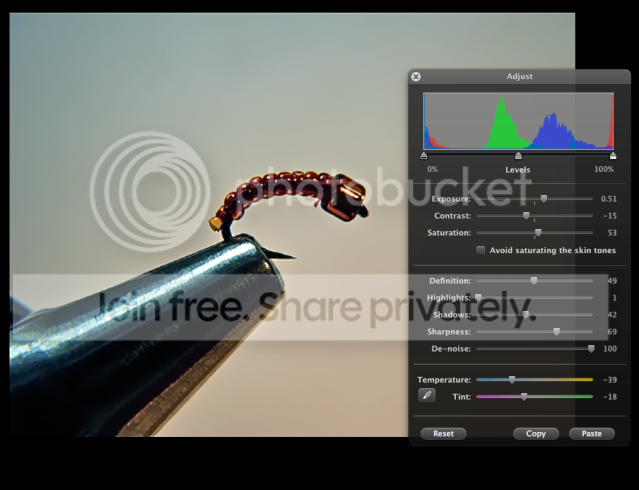
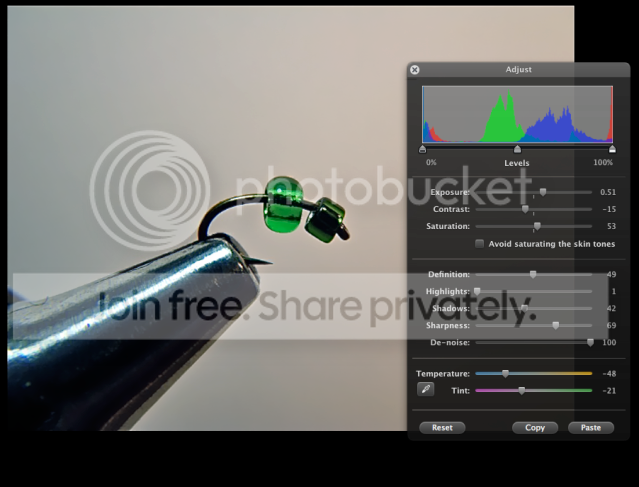
***Advanced color correction with Photoshop***
Original
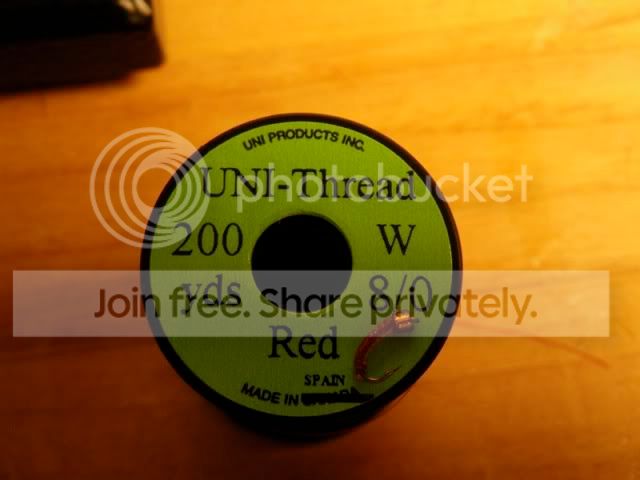
Color/WB corrected
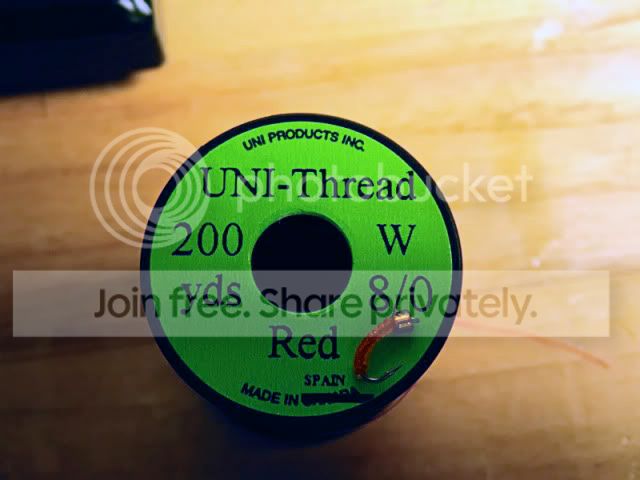
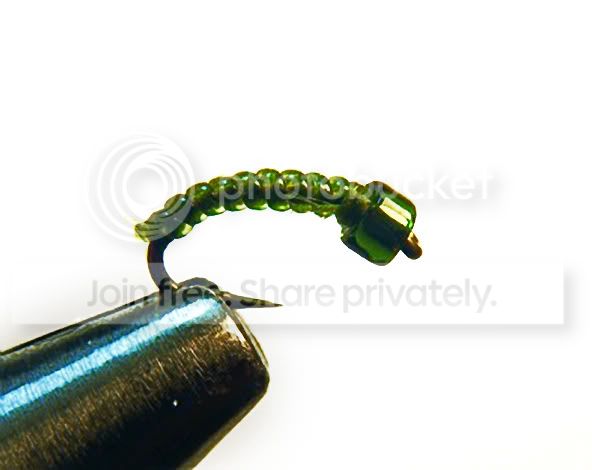
Original
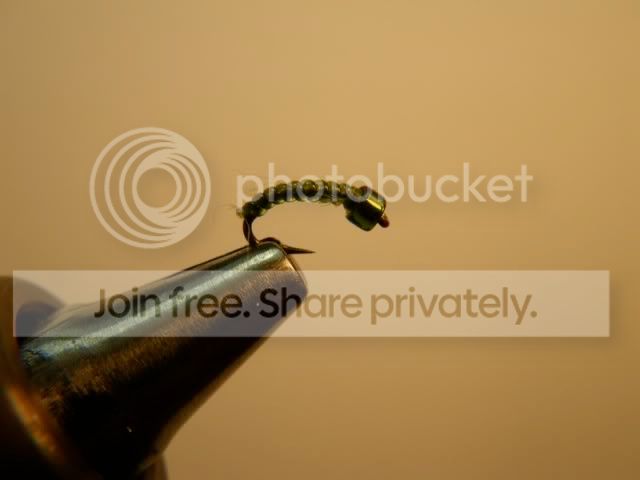
Color/WB corrected
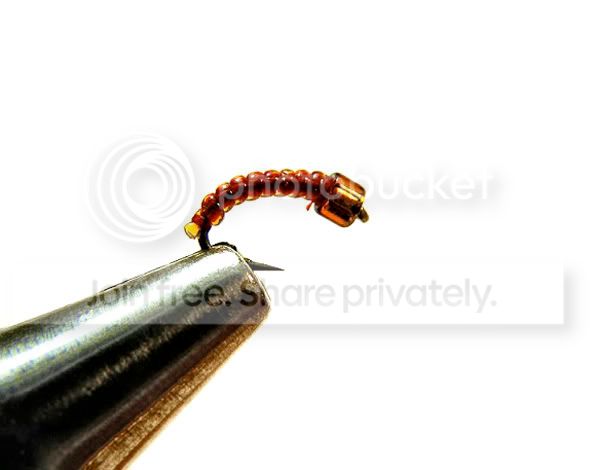
Original
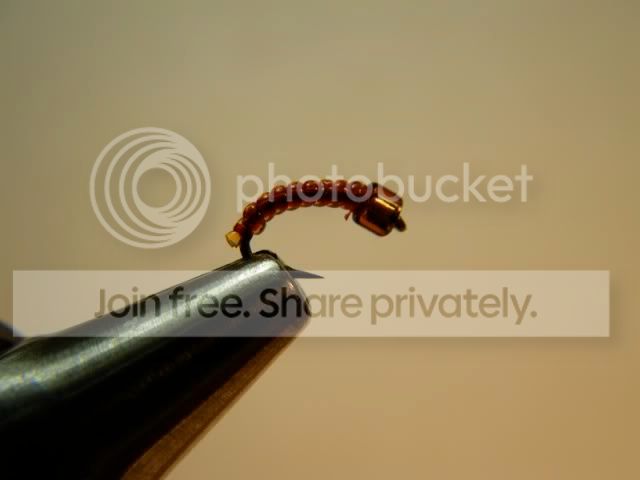
Color/WB corrected
 Member
Abe,
Wow, I completely missed this post until now. Great tutorial. Thanks for posting. That is a very detailed set of instructions and a cool looking fly.
Your pictures are great and I really like how you draw the viewer to the overall process of tying the fly. Your white balance is a bit off but we can work on that; otherwise solid photo-documentation.
Here is a quick example of color correction on your final image.
MemberThis desk was actually a bargain that my wife picked up at Nebraska Furniture Mart a few years ago. It was in the back room and marked down for clearance. She used it as a desk but once we moved in to the new house I snatched it for my fly tying desk because it is loaded with nooks and drawers. It is a great piece for my needs and has character. The mat is a from the office supply store – great for protecting the wood and for catching head cement and laquer and stuff.
****Now This Is What A Desk Should Like****
Nice and dirty and full of scraps. I started the Tarpon Toads tonight.
 Member
FYI, I asked around today and the consensus is that the battery powered units are not reliable.
MemberDavid,
Zach is right – you will need the converter for electricity. To date the medical community has been unable to develop reliable CPAP battery powered units, mainly because there is no real demand at the moment. However, we are diagnosing OSA (obstructive sleep apnea) more frequently and in younger active patients so the future might be promising. Call your doctor and ask what they recommend and I’ll ask around tomorrow to see if there are any alternatives for your situation. It’s a good question really.
Here is an internet DYI battery setup http://www.talkaboutsleep.com/sleep-disorders/archives/Snoring_apnea_backup.htm
MemberJust when I think I know enough about entomology . . . Will your bug posts always translate to like an hour of reading and learning.
-
AuthorPosts