






Think something is wrong with camera
Blog › Forums › Photography › Think something is wrong with camera
- This topic has 36 replies, 13 voices, and was last updated May 27, 2008 at 3:34 am by
kendal larson.
-
AuthorPosts
-
May 21, 2008 at 1:14 pm #7570
Anonymous
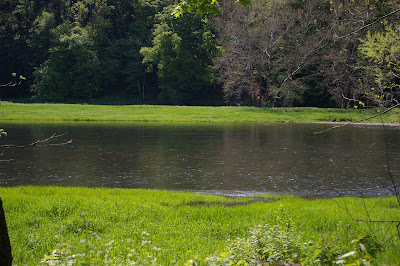
InactiveOk…I am freaked out that something is majorly wrong with my DSLR. A few weeks ago if you think back I asked a few of you to try you hand at fixing an overexposed photo of my daughters first trout. I was in a hurry, had it in green mode and was firing away. Everything was blown out. Since then I have played around with things in green, Av, Tv, and manual mode. There seems to be a problem.
The only time I am getting correct exposures is in manual mode. Everything else is getting overexposed. I have reset the camera to its factory settings and still nothing.
Below are two examples of what is going on. I am going to post this on the Pentax forum but wanted to run it by this group as well.
This was taken in green mode.
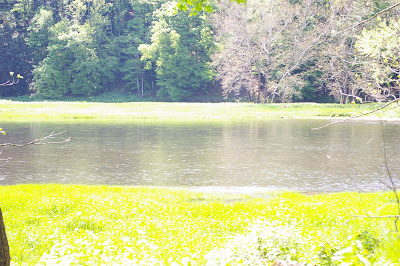
Same taken in manual
taken in green
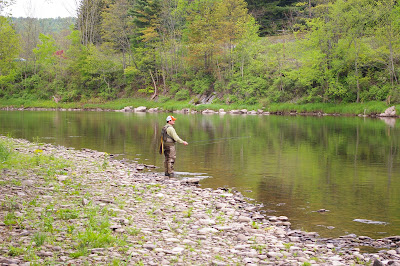
taken in manual
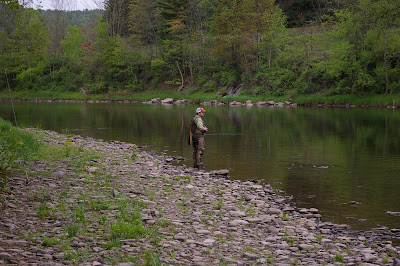
Another one that is blown out.
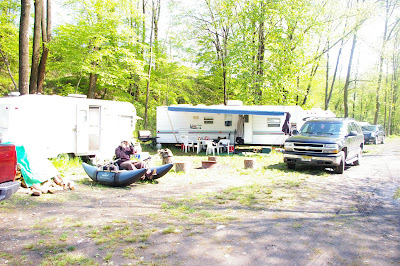
Any suggestions or thoughts would be great.
May 21, 2008 at 1:27 pm #63249Rich Kovars
MemberYou might want to check if there is a firmware update available for your model.
May 21, 2008 at 1:28 pm #63250 John BennettMember
Well for whats it worth it appears though your camera is over exposing by maybe as much as 2 stops.
I’d contact Pentax and include the above images (with exif data), depending on how old your camera is I want a solution, repair, or replacement. If its not too old I’d contact the retail outlet as well looking for an exchange.
J
May 21, 2008 at 3:37 pm #63252mike j
MemberIt could be the camera, or it could be the chip in the lens as well…
Step 1.
May 21, 2008 at 3:44 pm #63253Carter Simcoe
MemberLast time when you posted that blown out shot of your daughter the exif data you posted said you had the exposure compensation set at +2.0 and if I had to guess I’d say that’s still where it’s set.
May 21, 2008 at 3:55 pm #63254 Ben CochranMember
Tim, I know that you must be getting very frustrated and I feel for you. I am curious though, why are you shooting in green mode? Also, it looks like you or the camera is metering the dark shadows in green mode and it is causing everything else to be overexposed and a lot of spiking. I live by the rule, if you have doubt in your camera, just send it in to be checked as that won’t hurt a thing and is part of the trouble shooting process.
I only shoot in manual mode so, I can’t really help any with the green mode deal I kind of noticed something in your posted images though and it would help if you post comparable EXIF data. I don’t have my macbook back yet and my PS is on there so, I can’t check the EXIF data. In your green mode pics, it seems that they are all metered to the shadows and the manual modes seem to all be exposed to the hot areas. Also, if you look at your very last picture, the detail in the shaded areas has a lot of clear detail in them and this made your hot spots much hotter and even spiked a lot of them. It could be that your camera is metering incorrectly and keep in mind that it appears that you shot that last image in very hot midday sun, do you remember what you metered on? Also, do check the exposure compensation setting, as has been mentioned.
Again, if you feel that something is wrong with your camera,get someone to look at it so that it can either be fixed or so that you can move onto the next step in trouble shooting. Let us know what happens as I, for one, am very interested in helping you get past this hickup.
May 21, 2008 at 4:16 pm #63255John BennettMemberJust a note and why Im sort of puzzled, as the last time Tim did include the exif and the “impossibe” seems to be occurring.
It was on Auto.
May 21, 2008 at 4:18 pm #63256InactiveTim, I know that you must be getting very frustrated and I feel for you. I am curious though, why are you shooting in green mode? Also, it looks like you or the camera is metering the dark shadows in green mode and it is causing everything else to be overexposed and a lot of spiking. I live by the rule, if you have doubt in your camera, just send it in to be checked as that won’t hurt a thing and is part of the trouble shooting process.
I only shoot in manual mode so, I can’t really help any with the green mode deal I kind of noticed something in your posted images though and it would help if you post comparable EXIF data. I don’t have my macbook back yet and my PS is on there so, I can’t check the EXIF data. In your green mode pics, it seems that they are all metered to the shadows and the manual modes seem to all be exposed to the hot areas. Also, if you look at your very last picture, the detail in the shaded areas has a lot of clear detail in them and this made your hot spots much hotter and even spiked a lot of them. It could be that your camera is metering incorrectly and keep in mind that it appears that you shot that last image in very hot midday sun, do you remember what you metered on? Also, do check the exposure compensation setting, as has been mentioned.
Again, if you feel that something is wrong with your camera,get someone to look at it so that it can either be fixed or so that you can move onto the next step in trouble shooting. Let us know what happens as I, for one, am very interested in helping you get past this hickup.
Took some of the shot in Auto to see if it was still a problem.
May 21, 2008 at 4:50 pm #63257MemberI guess without having a Pentax DSLR to mess around with we don’t really know if it’s impossible or not but I think it’s even less likely that his exif data would throw up an EV of +2.0 if it wasn’t actually happening.
May 21, 2008 at 5:19 pm #63258Zach Matthews
The Itinerant AnglerTim –
I am real inclined to agree with Carter here.
May 21, 2008 at 6:35 pm #63259John BennettMemberI don’t disagree with the notion that something other than whats been presented ( an auto mode and + EC) might not be going on.
Carter your right “Exp comp” is redundant when in “M”. You cant dial any in. If your metering a scene and for one reason or another want to over expose or under expose you simply set your exposure values to render an over/under exposed image relative to what the meter is saying is a “proper exposure”.
from the Pentax k10
Metering Modes
1) Green (2) Program AE (3) Sensitivity-Priority AE
(4) Shutter-Priority AE (5) Aperture-Priority AE (6) Shutter and Aperture- Priority AE (7) Metered Manual (8) X speed (9) BulbFrom the K10 manual page 146
Green (auto) mode.
Sets shutter speed and aperature according to a proper exposureuser options.
EV comp: No
Change SS: No
Change f/stop: no
Page: 146On page 146
Using green mode
Caution: Shutter Speed, Aperature, AE Lock, EV Comp, Aut bracket, Mulit exposure, and flash Comp cannot be used.http://www.pentaximaging.com/files/manual/K10D_Manual.pdf
Sorry to be such a stickler but auto modes are meant to be, for lack of better words “idiot proof”. The camera is driver and the only auto mode that allows for some user control is “Program” mode, which is identical to “Auto” but allows for some user control. That is to the best of my knowledge universal.
I allow that I dont know everything and stand to be corrected but Id be very surprised to find a camera that allows any user control in auto. The mode is meant to be fully auto, such that anyone can pick it up, point and shoot and a “technically correct” exposure.
If theres truly some +EV in an auto mode Id be contacting the manufactorer.
May 21, 2008 at 6:51 pm #63260InactiveI am praying that Carter and Zach are right but deathly afraid that Jon is.
My model is the K100d.
May 21, 2008 at 6:59 pm #63261MemberIf John has pulled up the camera manual then he is right in that exposure comp shouldn’t work in Auto mode. But just because it’s doing this for whatever reason doesn’t mean that turning it down won’t fix the problem and still leave you with a perfectly functioning camera. Whether it should be compensating in Auto mode or not I still think it’s turned up simply because you say your having the same problem in your Av mode (which i’m assuming is the same as aperture priority mode on a Nikon) as well but not in maual mode.
If it’s under warranty I’d definitely send it back though.
May 21, 2008 at 7:10 pm #63262John BennettMemberTim.
In order for “us” to read the EXIF from files posted to the net we’d have to have DLd a third party utility that allows viewers to see the EXIF.Some websites display parts of the EXIF as like mine. If you look in the top right corner of the screen you’ll see abreviated EXIF. http://jben.zenfolio.com/p397945788/?photo=h173CE26E#389866094 if you hover over the orange exclamation mark that appears in the top right corner of the image, you’ll see most of the EXIF. I also embed my name, adress and other info in the full exif of all my files.
The EXIF shoud show us exacly what mode you were in, the ISO, the Fstop, the SS, metering mode, any +/- EC or FEC, whether or not flash fired and some other info.
All of which may help get to the bottom as to whats occuring.
How old is your body?
If its a malfunction you should be able to get it repaired, it may be a firmware issue or you may be able to get a replacement.J
May 21, 2008 at 7:13 pm #63263MemberI actually downloaded one of those programs and it still didn’t pull any EXIF
May 21, 2008 at 7:20 pm #63264The Itinerant AnglerThat’s because there’s no way Tim’s got a straight JPEG here.
May 21, 2008 at 7:22 pm #63265MemberTim,
Which metering setting is set?
May 21, 2008 at 7:35 pm #63266Memberi think it’s some sort of setting too. If the meter was messed up in some way I doubt you’d be getting correct exposures in manual mode so easily.
May 22, 2008 at 1:46 am #63267InactiveThat’s because there’s no way Tim’s got a straight JPEG here. Your host is probably resizing it, Tim – those files are only 400 pixels across (they should be about 3,000 native).
Tim just right click your picture on your own computer and hit Properties, then look for either an Advanced button or a Photo Date button – something like that. It’s in there, I promise. Or email one to me.
ZachZach,
I pulled these photos from my Picasa Web Albums page.
May 22, 2008 at 2:40 am #63268John Pavoncello
MemberTim,
email me one of your full res, raw images and I’ll open it and check out the exif for you.I’m betting on the settings being off too.
-
AuthorPosts
- You must be logged in to reply to this topic.