






How to Post Pictures
Blog › Forums › Fly Fishing › How to Post Pictures
- This topic has 43 replies, 17 voices, and was last updated Oct 8, 2012 at 8:41 pm by
chris dee.
-
AuthorPosts
-
Jun 20, 2007 at 11:32 pm #6081
Zach Matthews
The Itinerant AnglerHey Guys –
Lots of requests for this and I lost my last tutorial.
Posting pictures on this site is easy. If your picture is below 250k you can simply upload it in the box at the bottom of the post window (“Attach”). I prefer your photos to stay below 650 X 650 pixels, at which size most are also well below 250k. I recommend Google’s free Picasa program to edit your images for this site. If you don’t make your photos 650 pixels or less in size, the board will, but if you make the board software resize a single large or multiple smaller pictures, it will slow down everyone’s browsers.
If you want to post more than one picture at a time, you can attach extra photos to the post by pushing the “plus” button. However, the total attachment size must not be more than 500k or your post will be blocked.
The other and in some cases better option is to host your photos elsewhere on the web and then link to them here.
Hosting elsewhere is easy and usually free. ImageShack.com
Jun 21, 2007 at 12:39 am #53598 John BennettMember
Hi Zach.
With regards to host. I’m currently using Zenfolio ( former pbase user) and while its pay its dirt cheap. For 20 something a year (under 40 CAD) I get 1 gig of storage. I currently have over 200 photos uploaded and am only using 120mb. Reason being I upload at 1024 x 682. Most images take about 300KB at that size which for the net and web viewing is more than plenty. Aside from nice layouts and stuff one of the features I really like is the ability to link various sizes from the one file ranging from small thumbnails at 60×42 through to the full size image were I to upload 8mg files. Typically the size I most often link is 800 x 560. Other popular hosts I know of are smugmug and photobucket
Jun 22, 2007 at 3:32 pm #53599feild patten
MemberI use Photobucket to post all of my images onto this site. It is free and incredibly simple to use.
Jun 10, 2008 at 7:23 pm #53600The Itinerant AnglerHere’s the How to Post Photos thread again for those who have been having issues.
Jun 10, 2008 at 8:08 pm #53601dusty montgomery
MemberThanks for the help Zach.
Jun 10, 2008 at 8:20 pm #53602mark s
MemberI use Flickr and it’s works just fine, for what it’s worth
Jun 10, 2008 at 8:52 pm #53603Corey Kruitbosch
MemberI like/use flickr also …
Jun 11, 2008 at 12:35 am #53604Neal Osborn
MemberPosting pictures to the IA board is very easy. Just open an account at http://www.photobucket.com or Flickr. It’s free.
Then put whatever pictures you want to post on your desktop, size doesn’t matter they can be huge 4-5mb pictures or just little .jpegs, it doesn’t matter since photobucket resizes for you. Then go to “my album” in photobucket and click “choose” to pick the photos from your desktop, you can choose three as default or choose more below and add as many as you want. Choose to upload as “large” size, this fits well in Zach’s board margins. Then click upload and wait a few minutes and then they will be uploaded. Under each photo there are codes, choose the one that says IMG code and copy this code for each individual picture. Then go to the IA board topic and just paste the IMG code, photobucket will do all the work for you. Once you click post on the topic on the IA board the photos are automatically on the page (that is what IMG code does for you). This way you don’t have to resize all the time and waste time. I can post photos to IA in less than 2 minutes with this method.
Note: by adding pictures this way, photobucket/flickr will add the img img for you. This bypasses the method described above by Zach and I find it much easier. Just load em up, click the img tag on the photo site and hit paste in your post and done.
Here is an example from my photobucket site. Notice the IMG code below the pictures. Just double click and it will auto copy for you.
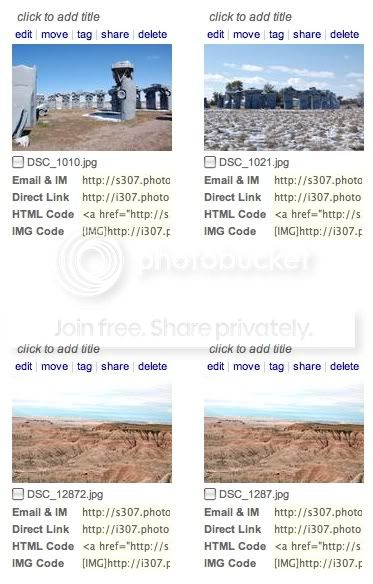
Then go the post and hit paste like this (I have deleted one of the bars so the picture won’t post and you can see the code.
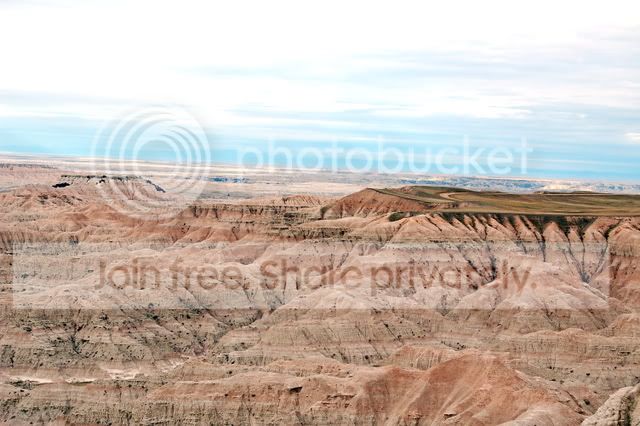
IMG]http://i307.photobucket.com/albums/nn292/nealpod2/Picture2.png[/img]Here’s what it looks like if I paste the full code
NealJun 11, 2008 at 2:06 am #53605andrew brown
MemberHi all, Photobucket has gotten much better lately with the addition of the photo editing features to free version.
Jun 18, 2008 at 12:48 pm #53606John Pavoncello
MemberFor Photobucket users, how do you keep your images from being stolen and used on other websites and the such?
Jun 18, 2008 at 1:14 pm #53607MemberJohn-
You can set your albums to private, but then you have to provide a guest password to those who wish to view your work.
Jun 18, 2008 at 1:14 pm #53608John BennettMemberThere not much you can do if someone wants to rip an image off.
Watermarking will deter those who aren’t unknowledgble in Photoshop
Reducing the resolution to 800px at the widest, so that its really only useable on the net will deter everyone else. Also, another arguement for resizing at source, is that most free services like PB don’t do a good job resizing your images. Far better to resize it yourself with your editing software
Jun 18, 2008 at 1:56 pm #53609The Itinerant AnglerResize your images to 650px for this site, please.
Jun 18, 2008 at 2:21 pm #53610 Mark SchaferMember
My hand me down camera from my wife has image size settings, if I know ahead of time what I’m taking the picture for will this cut out the resizing step.
MSJun 18, 2008 at 5:23 pm #53611MemberJust to clarify . . . if you use Photobucket and the method I described above you don’t have to resize images, the site takes care of it for you. Easy.
 Jun 18, 2008 at 7:15 pm #53612Member
Not to keep pimping Flickr, but it allows you to upload your original files (no matter the size), then for purposes of posting, choose a smaller size that it will resize.
So a huge resolution photo can be posted in it’s medium or small size to fit the screen more appropriately.
They also just came out with a cool uploading tool, so you don’t even need to visit the site to post your photos.
Jun 26, 2008 at 7:17 am #53613Brett Hoskins
MemberTest post using Neal’s method
 Jun 26, 2008 at 7:19 am #53614Member
Thanks Neal.
Jun 26, 2008 at 12:39 pm #53615The Itinerant AnglerThere we go.
Jun 26, 2008 at 1:08 pm #53616MemberNice picture and nice hat, Brett. By the way, make sure to upload using the large setting (i.e. 640×480). This size fits in the IA board margins the best.
-
AuthorPosts
- You must be logged in to reply to this topic.