






Making a fly fly line pop!
Blog › Forums › Photography › Making a fly fly line pop!
- This topic has 27 replies, 9 voices, and was last updated Sep 11, 2008 at 2:27 am by
Carter Simcoe.
-
AuthorPosts
-
Sep 7, 2008 at 10:52 pm #7711
dusty montgomery
MemberI’ve heard that one can use a yellow filter to bring out a fly line in an image. Is there any truth to this, or is there a better method? Also, should this be true, should I remove my circular polarizer filter when I use the yellow filter?
Thanks for the help guys.
DustySep 7, 2008 at 11:29 pm #64642Zach Matthews
The Itinerant AnglerIf you are talking about shooting a line in the air while it is being cast, the trick is 1000% about background and side light, period.
I know of no way to flash, filter, or photoshop a great fly line casting shot.
Sep 7, 2008 at 11:37 pm #64643 Ben CochranMember
Really love everything about that last shot Zach! We get a heavy and tall fog during the sumer months, on our river up here, due to extremely cold tail water. Seldom does the fog lay low enough to get really good shots like your last one, the fog at fly line level is a very cool look!
Sep 8, 2008 at 12:37 am #64644 David AndersonMember
– Awesome shots Zach !
I agree, it’s about background and backlight, you need to know when to shoot casting shots.
If I get the right light I make the ‘model’ cast for me until I get a few I like and then we go back to fishing.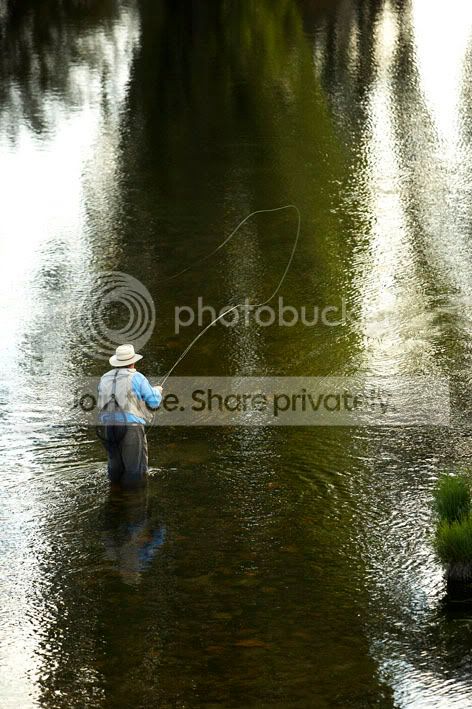

www.dsaphoto.com
A picture is thousand words that takes less than a second while a thousand words is a picture that takes a month.
Sep 8, 2008 at 12:58 am #64645MemberThanks for the quick response y’all. So is the yellow filter idea BS? Keep in mind though, I was told this when I was rolling my own cassettes of TMAX 400. Maybe digital negated this idea.
Sep 8, 2008 at 1:30 am #64646Morsie
MemberLefty’s rule of photographing fly casting is to shoot at 250th. At this speed its slow enough to allow a little blur to fatten the line. I set at 250 then underexpose 1.5 stops most of the time (depending on just how dark the background is).
This is a scan from a slide.
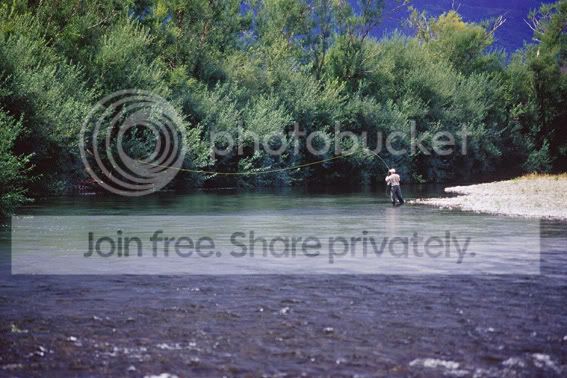
This shot was taken to emphasise and illustrate what “overhang” is when using a shooting head.
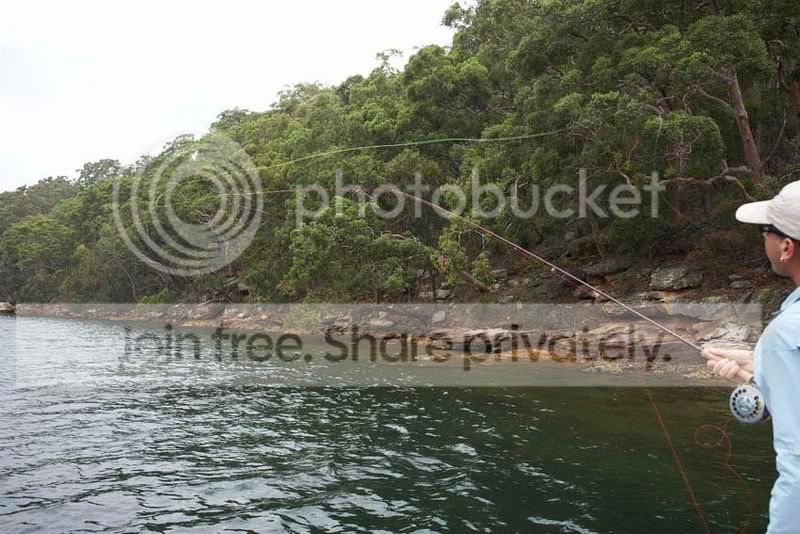
 Sep 8, 2008 at 3:23 am #64647The Itinerant Angler
I agree with Morsie on shooting slightly too long. Other tricks include overlining by several line sizes (I am roll casting and switch casting 8 weight bass bug line on a five weight at the top). The biggest factor is having a background darker than the line – that will give you enough contrast to at least see it. If you want the line to *glow*, though, then I would argue that side light (and not even really back light, although David certainly has a nice effect up top) are what to look for.
Consider things like where you know there to be high bluffs running roughly north/south. Sun travels east/west, so there will always be one point in the morning and one point in the evening when you can shoot against a shadowed backdrop with the angler still standing in the light. Now if you can position yourself so the light strikes the angler from the side (meaning, generally, early or late in the day when it isn’t coming straight down), then you can get the best effect.
Yellow filters make no sense, to be honest. That is just going to bring the general color tone into the yellow spectrum, where most fly lines already are. That’s going to decrease contrast, not increase it, as far as I can tell.
Zach
PS That last shot at top is one of the most requested out of my archive.
Sep 8, 2008 at 3:41 am #64648Ben CochranMemberHey Zach, you might want to check out Genuine Fractals by OnOne. Best image enlargement software on the market, IMO. be a shame to limit that great shot due to small file size, I think that you would really enjoy this plugin as it fits perfectly into CS3, and is also in mac format. 400-500 % file size increases are very crisp and I have seen some up to 700% that are crystal sharp.
Sep 8, 2008 at 4:51 am #64649Ben CochranMemberThat is a really cool pano David! Morsie, I love that first shot too, kind of reminds me of some of the Scandinavian streams but makes me want to book a trip with you even more, great shot and excellent capture of the entire scene. Also, that is an amazingly tight loop in the second shot, one of the best tight loop shots I have seen.
Sep 8, 2008 at 7:10 pm #64650MemberThanks Zach, and others. You saved me buying another filter. I’ll try what you said, which I think I pulled off this weekend w/o meaning to. When I get some time, I’ll post a few of them to see if we are on the same page.
DustySep 8, 2008 at 11:13 pm #64651David AndersonMemberThe guy in the pano is Gordon Low and is the second best caster I know after Morsie (yes, I’m jelous :D), makes it easier to get casting shot when you fish with guys that can. 😉
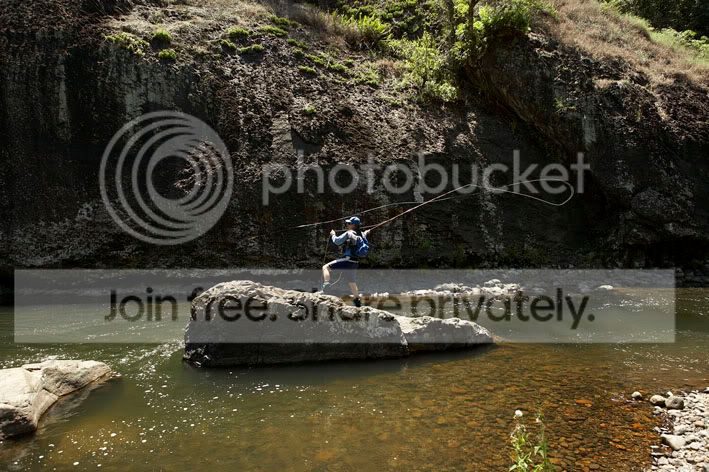
Here’s one with some backlight – the line is flat green, but still stands out against the dark water – not a bad loop either, that’s the #2 SLT.

This is some black Basalt in far north Queensland – not a bad backdrop either.
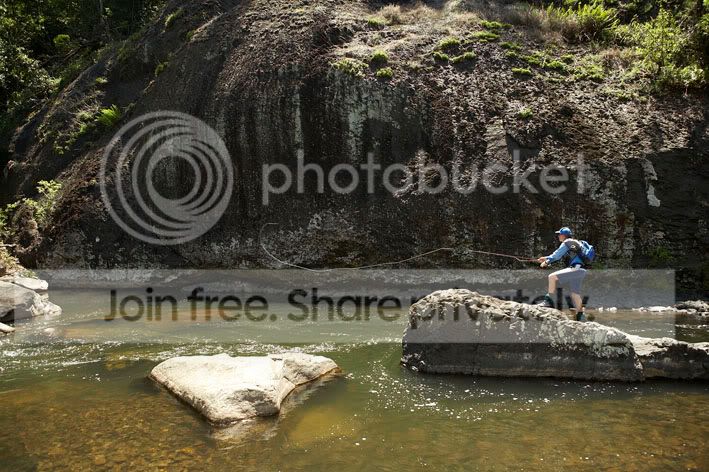
www.dsaphoto.com
A picture is thousand words that takes less than a second while a thousand words is a picture that takes a month.
Sep 8, 2008 at 11:49 pm #64652MemberHaving some trouble loading an image. The file I am trying to load is a 15.35 MB RAW file. Typically with this site, I convert the file to a 640×640 JPEG, and in this case it went don to 120kb. But when loaded, it was huge, having vert. and horizontal sliders to see the whole image. Am I forgetting something? Using Aperture 2.1 to convert file. This program does not have an image re-sizer that I am aware of. the conversions take place when I export from Aperture to the desktop.
D.Sep 9, 2008 at 12:17 am #64653Membertrying diff. image:
Sep 9, 2008 at 12:20 am #64654MemberZach,
What size and dims are the photos you post, and is it safe to assume you are resizing them using CS3?
Thanks,
D.Sep 9, 2008 at 2:03 am #64655The Itinerant AnglerEverything is 750 X 500, which is the standard size for the photoblog.
Sep 9, 2008 at 2:24 am #64656MemberThanks Zach…I was fond of that one as well. And the best part is I did not have to do any post, save the vignette.
I guess I have waited long enough to get CS3. Damn, you guys are expensive. And BTW Zach, just so that you know, when I pitch CS3 to my wife, your name will be dropped shamelessly-something to the effect of “Zach said I cannot do it w/o CS3…”
Thanks for the help.
D.Sep 9, 2008 at 4:23 am #64657Carter Simcoe
MemberI don’t think there’s any reason to upgrade to CS3 for resizing, especially not for the web since you really don’t need Photoshop at all for that.
Ben, that plug in looks interesting, will it run on CS2?
Sep 9, 2008 at 12:53 pm #64658The Itinerant AnglerYeah I completely agree with Carter.
Sep 9, 2008 at 1:26 pm #64659Neal Osborn
MemberLike Zach – I recently started using Adobe Lightroom and love the program.
Sep 9, 2008 at 2:02 pm #64660MemberI am thinking CS3 simply b/c I do not have any Adobe software at present. I only have Aperture. Does Lightroom not come in a bundle w/ CS3? Can one still find copies of Photoshop or CS2 floating around?
D. -
AuthorPosts
- You must be logged in to reply to this topic.