






Panoramic stitching
Blog › Forums › Photography › Panoramic stitching
- This topic has 20 replies, 10 voices, and was last updated Dec 8, 2008 at 1:14 am by
Neal Osborn.
-
AuthorPosts
-
Nov 3, 2008 at 3:24 am #7835
Neal Osborn
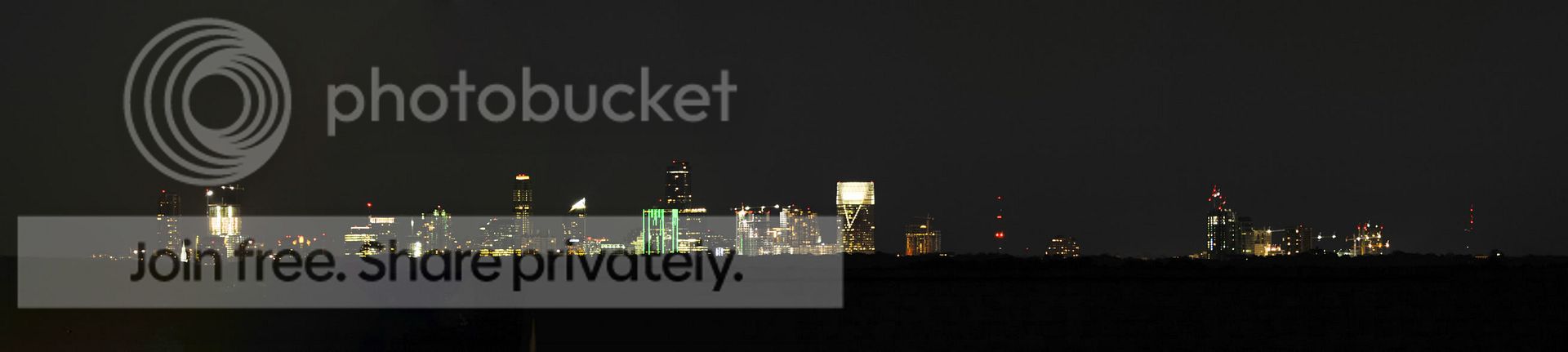
MemberMy first attempt at panoramic stitching. Had an opportunity to shoot the skyline of Atlanta.
I don’t have the big guns like a 400mm but I pulled out my bargain basement 70-300G (used, plastic old model) to get some sort of reach. I set up the tripod and locked AE/AF and made the plunge. First lesson – it takes like thirty minutes with 2GB memory to stitch 9 large .jpgs together. The pinwheel was spinning!!! Second lesson, it is tough to get rid of the ambient street light at long shutter speeds (see left side of the panoramic vs the right) and even on a tripod there is some shake streak on the image. Third lesson (and a question) – these are LARGE files!!! 260mb for the .psd and 48mb for the .jpg after rendering. How do you recommend post processing panoramics for sharing on the net vs printing? Fourth lesson (and a question) – when you export the file, the size is prohibitively small and nearly impossible to share via email. Thus, what is the “practical” use of a panoramic?
If you know of any good links or literature about panoramic please let me know. In the future I will probably just use 2 (maybe 3) images to stitch which would be more practical in the post processing stages.
Anyone else have examples of panoramic shots?
Buckhead
 Nov 3, 2008 at 3:42 am #65739Member
A very large file of the entire skyline of Atlanta.
 Nov 3, 2008 at 12:11 pm #65740
Andrew Wright
MemberFunny Neal. That happens to be the project I am currently building in the middle of the first shot. Cool pictures.
Nov 3, 2008 at 12:44 pm #65741MemberAndrew – If I can find a way to borrow a longer lens I will try and get you some better shots of the project.
Nov 3, 2008 at 6:22 pm #65742 Steve K.Member
Neal….if you want to get a really beautiful view of the ATL skyline….especially at night…..go to the Parkway Drive overpass at Freedom Parkway….near Atlanta Medical Center.
Nov 3, 2008 at 11:24 pm #65743MemberI didn’t realize this topic has been covered to a small degree already.
http://www.itinerantangler.com/cgi-bin/board/YaBB.pl?num=1216068243
http://www.itinerantangler.com/cgi-bin/board/YaBB.pl?num=1215356387
Good advice and nice pic by David King.
Nov 4, 2008 at 12:02 am #65744jay mcdaniel
MemberFunny Neal. That happens to be the project I am currently building in the middle of the first shot. Cool pictures.
Andrew, which building? Do you work for Hardin on one of the Terminus buildings? I grew up in Atlanta and am currently in Building Science program at Auburn.
Nov 4, 2008 at 12:32 am #65745anonymous
MemberNeal- nice pano-
I’ve played a little though to be honest besides fun I hav’nt pursued it much past these-

and

3 image stitches in Autopano Pro
Your right the file size
Nov 4, 2008 at 1:07 am #65746travis_reynolds
MemberNice shots guys.
Nov 4, 2008 at 1:28 am #65747MemberWill – OMG BINGO!!! Your advice on vertical panos stitched as a horizontal is invaluable for my medical macro photography. I have been working my tail end off learning about Kelvin and white balance and high speed flash sync in an effort to control the lighting in the exam room (multiple competing light sources) and using the 105mm VR macro lens. Problems so far include [my] paying too much attention to lighting/flash at the expense of composition. Now that I have the flash and WB under control I envision taking 2 or 3 shots in vertical while slightly panning and then stitch together to get the lesion and device all in the composition. Seriously, that little piece of advice is worth its weight in gold to me for my particular application 😉
Nov 4, 2008 at 1:17 pm #65748MemberJay,
I said it was in the center, but it is actually on the far left of the overall image. It is the the really brightly lit building with the two tower cranes. I work for Brasfield & Gorrie.Sorry to hijack the thread Neal…..Back to the image stitching. Those are some excellent shots Travis and Will.
Nov 4, 2008 at 8:49 pm #65749MemberI learned how to resize for web viewing.
Nov 11, 2008 at 9:25 pm #65750mark s
MemberNeal,
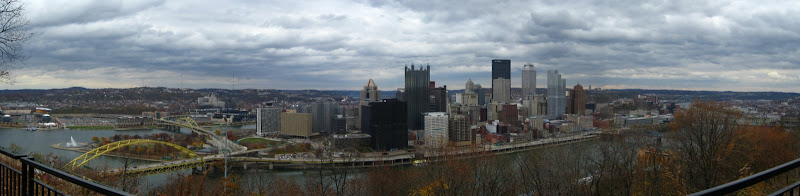
Here’s one I made this weekend in Pittsburgh. This is the view of the city from Mt. Washington. I use Canon’s PhotoStitch and I’m very happy with the results.
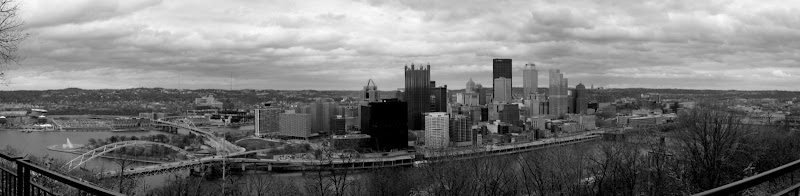
I thought this looked pretty cool in B&W also.
 Nov 12, 2008 at 2:56 am #65751
david king
MemberOne thing you might want to consider doing is turning you camera to vertical and shooting with a longer lens and shooting a few more frames.
You could end up with a 5000X15000 or 20000 pixel image which yields a little less panoramic image with a lot more detail and a more conventional aspect ratio. Here is a link to a cool video of a guy shooting a pano. http://vimeo.com/2054117Nov 12, 2008 at 11:59 pm #65752MemberNov 17, 2008 at 5:59 pm #65753Zach Matthews
The Itinerant AnglerI like this thread.
Nov 17, 2008 at 6:03 pm #65754The Itinerant AnglerAlso, Neal, your shot looks much crisper and nicer when rendered small like that.
Nov 17, 2008 at 6:45 pm #65755 John BennettMember
Panos haven’t grabbed my interest yet, but I do know some people who enjoy making them. Most by far, use a software program called photomatrix to render them. Figure if that many people use it must be for a reason and thought Id throw the name out there for those here might want to look into it.
Nov 18, 2008 at 12:42 am #65756MemberInteresting comment Zach:)))
Nov 19, 2008 at 2:30 pm #65757MemberKen Rockwell posted this link on panoramics from a helicopter.
-
AuthorPosts
- You must be logged in to reply to this topic.